Texture2DRegion
This page is up to date for MonoGame.Extended 6.0.0. If you find outdated information, please open an issue.
A Texture2DRegion is a subregion of a texture, typically used for rendering sprites from a texture atlas or sprite sheet. For instance, take the following image of playing cards.

Playing Cards Pack by Kenney; Licensed under CreativeCommons Zero, CC0
In MonoGame, this would be loaded as a single Texture2D image, however we would want to define the individual boundaries within the image that represent each individual card. For instance, the Ace of Hearts is at x:384 y:64 and has a width of 32px and a height of 32px. So we can define the rectangular boundary of this card in the overall texture as new Rectangle(384, 64, 32, 32)
This is what a Texture2DRegion represents. Internally it has a reference to the source Texture2D and defines the rectangular boundary that represents the subregion within the texture.
Why Would We Use This
This is an excellent question. When rendering textures with the SpriteBatch in MonoGame, every time you do a SpriteBatch.Draw call that uses a different Texture2D than the one before, the batcher has to do a process called texture swapping. Excessive texture swapping can reduce draw performance in your game.
By packing similar textures, like the cards, into a single image and then drawing only each region, we can draw the individual cards using a single source Texture2D, thus eliminating texture swapping as much as possible.
Using a Texture2DRegion
To create a Texture2DRegion in MonoGame.Extended, you only need two things: a Texture2D and the rectangular boundary that defines the region. Using our example of the Ace of Hearts from before, let's also create a Texture2DRegion for each of the other Ace cards as well:
private Texture2DRegion _aceOfHearts;
private Texture2DRegion _aceOfDiamonds;
private Texture2DRegion _aceOfClubs;
private Texture2DRegion _aceOfSpades;

protected override void LoadContent()
{
    Texture2D cardsTexture = Content.Load<Texture2D>("cards");

    _aceOfHearts = new Texture2DRegion(cardsTexture, 384, 64, 32, 32);
    _aceOfDiamonds = new Texture2DRegion(cardsTexture, 384, 32, 32, 32);
    _aceOfClubs = new Texture2DRegion(cardsTexture, 384, 0, 32, 32);
    _aceOfSpades = new Texture2DRegion(cardsTexture, 384, 96, 32, 32);
}
Then we can use the SpriteBatch.Draw extensions provided by MonoGame.Extended to draw the Texture2DRegion we created
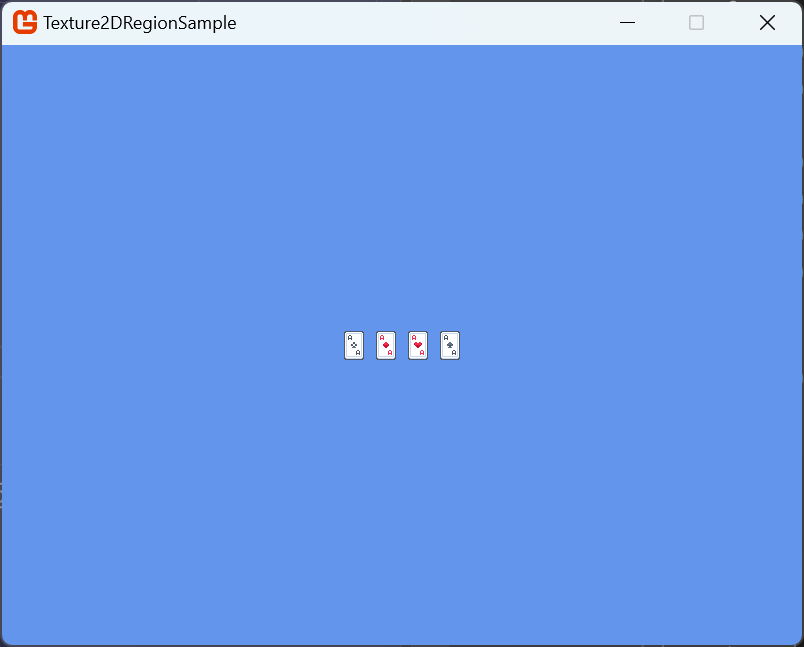
protected override void Draw(GameTime gameTime)
{
    GraphicsDevice.Clear(Color.CornflowerBlue);

    _spriteBatch.Begin(samplerState: SamplerState.PointClamp);

    _spriteBatch.Draw(_aceOfHearts, new Vector2(336, 284), Color.White);
    _spriteBatch.Draw(_aceOfDiamonds, new Vector2(368, 284), Color.White);
    _spriteBatch.Draw(_aceOfClubs, new Vector2(400, 284), Color.White);
    _spriteBatch.Draw(_aceOfSpades, new Vector2(432, 284), Color.White);

    _spriteBatch.End();
}
Which gives the following result
Conclusion
In this article, we've discussed what a Texture2DRegion is in relation to a Texture2D, discussed the performance benefits of using them, and shown an example of creating them. In the next article we'll discuss using a Texture2DAtlas to manage a collection of regions for a single texture.